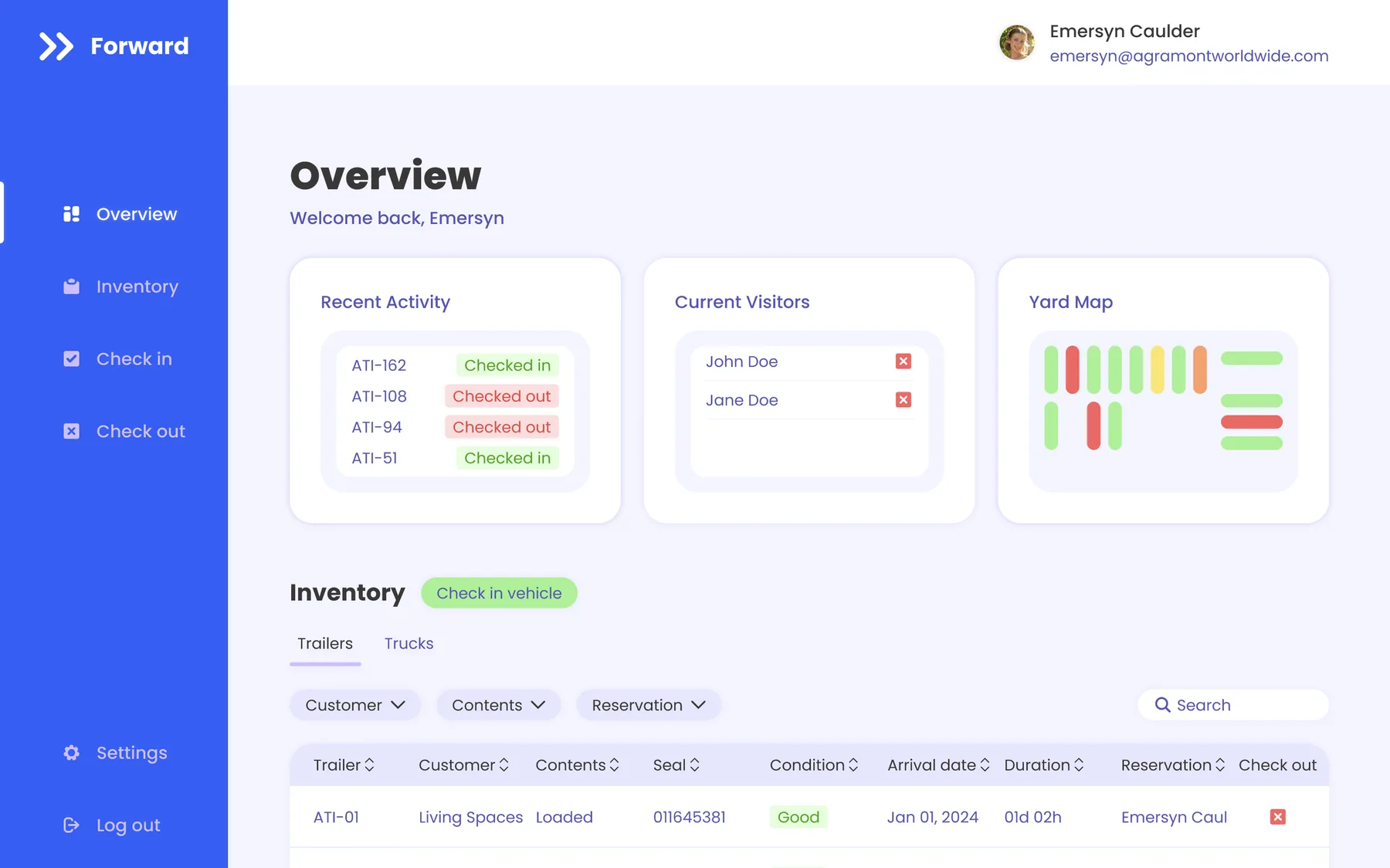
An asset management web app that gives Agramont Worldwide Logistics real-time visibility of trucks and trailers across its yards and warehouses.
Role
Sole UX/UI designer and UX researcher
Team
Software developers, project manager, operations director
Timeline
1 month
Tools
Figma, Adobe Illustrator
The problem
Dispatchers couldn’t see where their trucks and trailers were, and yard security tracked every entry and exit on paper.
The goal
Give Agramont one digital tool for real-time asset visibility that also streamlines check-ins, check-outs, and documentation.
My role
As the only UX professional on the project, I led the design from the first interview to the launch-ready app, working alongside software developers, a project manager, and the operations director.
Pitch 1
Research
I interviewed three logistics specialists and found that most of them juggled three or more separate tools just to track assets and talk to each other. That made simplicity and integration the project’s north star.
A competitor analysis of FourKites and Samsara pointed the same way: real-time visibility and simple, glanceable data visualization mattered most. Both findings shaped every design decision that followed.
Pitch 2
Flows and sketches
Starting from scratch, I mapped user flows for logistics specialists and security guards: checking assets in and out, reserving trailers, and pulling up real-time data. With the team, I built a component list and outlined how each piece would connect to existing systems.
Then I sketched a dashboard for each role, built around info cards and a table of assets.
Data fields and integrations mapped on the whiteboardDispatch dashboard sketchSecurity guard dashboard sketchTable additions from early feedback
Pitch 3
Wireframes and testing
In Figma, I built low-fidelity wireframes and a clickable prototype, then tested it with logistics specialists and security guards. Testing showed the reservation page needed to be more intuitive and needed a way to reserve trucks for dispatch. I also refined each role’s dashboard info cards based on the feedback.
Dashboard wireframeSecurity guard trailer listDispatcher trailer list with availabilityPrototype flow connecting dashboards, entries, and trailer details
Pitch 4
Design system
With the structure settled, I built a full design system: color palette, iconography, typography, elevation, components, and layout grids, so every screen in the app stays consistent.
Color paletteComponents and data visualizationTypographyIconographyElevationLayout grids
Pitch 5
Hi-fi prototype
I designed an interactive, high-fidelity prototype in Figma with detailed user flows and clickable elements. Working closely with the developers, we turned it into the launch-ready web app.
After launch, Forward noticeably increased operational efficiency, reduced documentation errors, and improved coordination between logistics specialists and security guards.
Real-time asset tracking
Simple visualizations show each asset’s status and location at a glance.
Digital check-ins and check-outs
A digital system replaced the paper process at the yard gate.
Streamlined reservations
An easy reservation flow for trailers and trucks speeds up dispatch.
Smoother communication
Logistics specialists and security guards now work from the same live information.
Challenges along the way
Reworking reservations
Testing showed the reservation flow was hard to follow, and dispatchers needed to reserve trucks as well as trailers. We simplified the steps and added truck reservations to the same flow.
Role-specific dashboards
Each role needed different information up front. Refining the info-card visualizations made the critical data clear for everyone.
What I learned
Keeping a steady feedback loop with the people who use the product, and iterating on what they tell you, matters more than any single design decision.